
Online Safety
What Age for Apps?
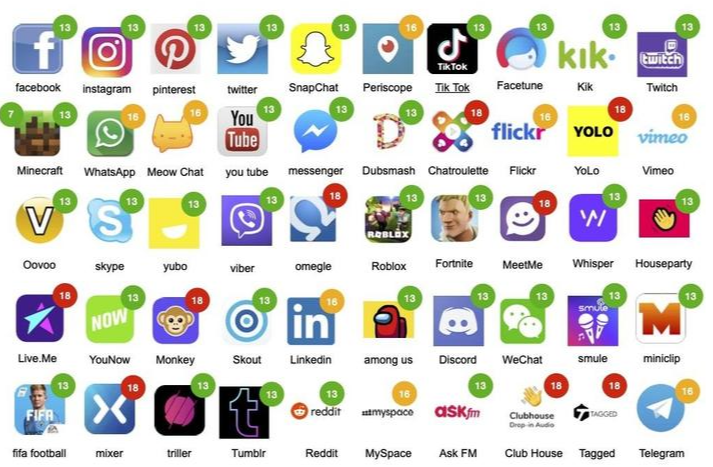
Golden rules for parents
- Keep the computer in a family area not in the child's bedroom.
- Use 'child lock' or filter settings on your Web browser to help prevent unsuitable site access by your child.
- Regularly supervise the sites your child is visiting.
- Encourage your child to use their Favourites list to access the sites you have approved to prevent accidental entry to unsuitable sites.
- Discourage your child from using social Networking sites to keep them safe from cyber bullying.
- Teach your child to switch the monitor off or close the laptop lid, then fetch or tell you if something unsuitable appears on the screen. This is what we do in school.
- Agree with older children what sites they are allowed to access.
- Keep all personal details private and be aware of stranger danger.
- Above all, encourage your child to talk to you about the web sites and electronic devices they are using at home and school.
There are some things to remember when you are browsing the internet.
- Treat your password like your toothbrush - keep it to yourself!
- Keep your home address, your phone number or email address off the internet, MSN and chat rooms.
- Learn to report someone who is behaving badly.
- Save the evidence - learn to save emails or on-line conversations.
- Don't retaliate or reply.
- Always respect others - think carefully about what you are typing.
- Tell someone you trust if you see something that worries or upsets you.
- Remember what you have learnt in school - use that at home.
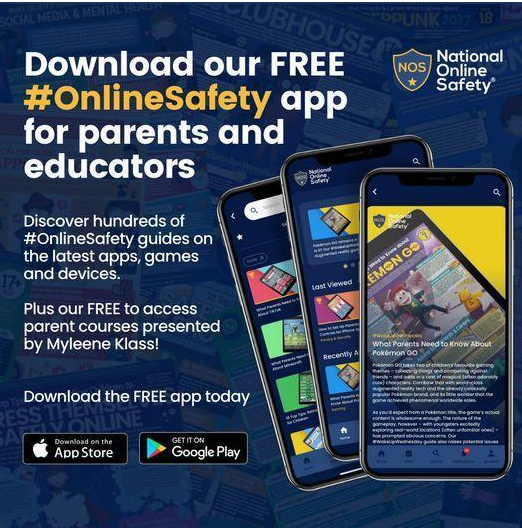
National Online Safety App
Packed with the latest #OnlineSafety guides, it will empower you to keep children safe in the online world! Download today by visiting or clicking on the image below >> https://hubs.ly/H0YpFLs0
In school, children will be taught online safety through our Computing Curriculum.
In Key Stage 1, children will be taught to use technology safely and respectfully, keeping personal information private; identify where to go for help and support when they have concerns about content or contact on the internet or other online technologies.
In Key Stage 2, children will be taught to use technology safely, respectfully and responsibly; recognise acceptable / unacceptable behaviour; identify a range of ways to report concerns about content and contact.
The National College
We’re delighted to let you know that we have become a member of The National College – a multi-award-winning online training provider for staff and parents.
What does this mean for you?
As part of our membership, The National College provides dedicated training and resources for parents and carers – particularly, around online safety and keeping children safe online.
Online safety advice on any topic
Of course, staff will continue to teach children about the risks online. But with the internet so readily accessible, the most effective approach to online safety needs everyone involved, including parents and carers.
That’s why you’ve now got access to hundreds of courses, explainer videos and online safety guides to support your awareness of the online world. Topics range from understanding apps like TikTok and Instagram to recognising the signs of online harm and what you can do to help.
They’re always here to help
The National College has a brilliant support team if you have any questions. Their help centre provides a comprehensive bank of answers to most FAQs, but if you still can’t find the answer you’re looking for, you can always get in contact with them.
Useful Links
https://www.nspcc.org.uk/keeping-children-safe/online-safety/
https://www.thinkuknow.co.uk/parents
https://www.internetmatters.org/resources/apps-guide/
https://www.internetmatters.org/resources/esafety-leaflets-resources/
https://express.adobe.com/page/IMwEX3zu3wrRD/